

Who Can Do This
Only an Admin can manage API keys in API Center.
Create an API Key
1
Name the Key and Choose Its Type
Open API Center > Create API Key. Enter a Key name, choose Sandbox or Live, and select Next.Sandbox keys test supported workflows without changing business records. Live keys can perform real operations. Read Sandbox Mode before testing.
2
Select Access
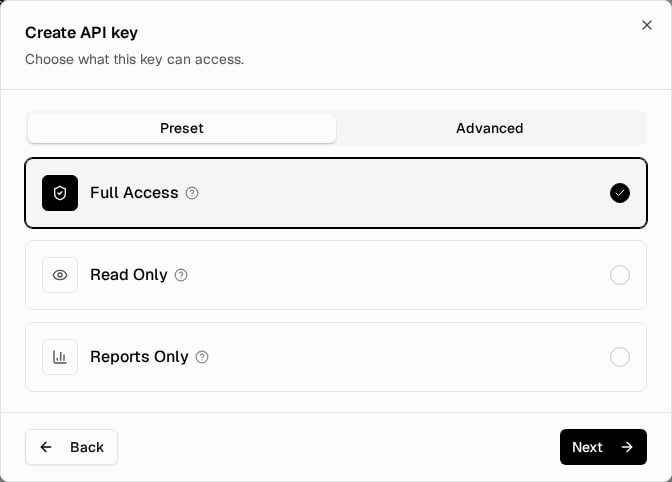
Access Step
3
Choose the IP Restriction
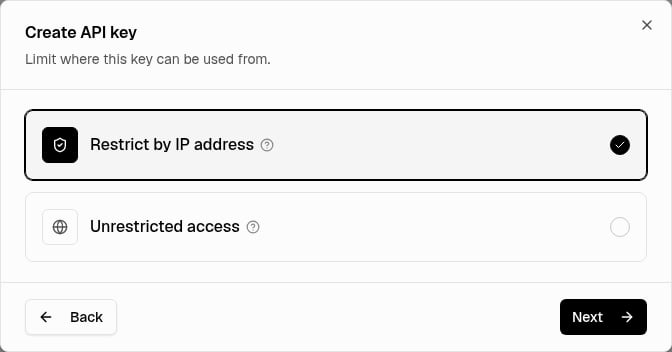
IP Restriction Step
4
Review and Create
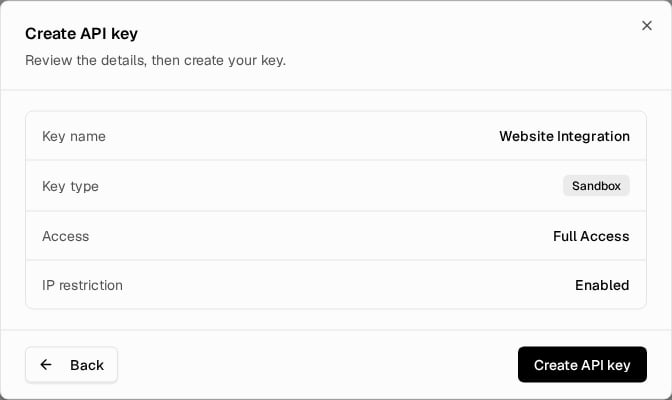
Review Step
5
Save the Secret
6
Verify Access
Verify API access from the system that will use the key.
Choosing Access
Choosing Access
Grant only the access your integration needs. Credential-bearing and destructive service endpoints require Full Access (
admin:full), not just service-write access. See API scopes.Forms, Settings, and scheduled-report scopes are reserved. Selecting them does not add public v1 endpoints for those features.Manage Existing Keys
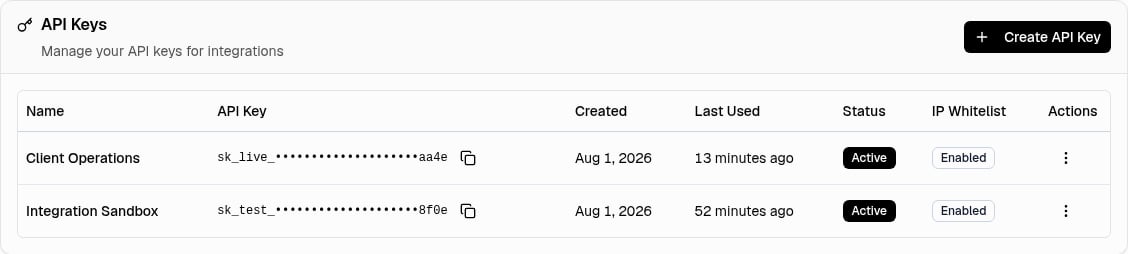
API Keys Table
Last Used
Last Used
Last Used is the last time a key passed authentication, firewall, and rate-limit checks. It shows Never before that happens.
Change Allowed Addresses or a Key's Restriction
Change Allowed Addresses or a Key's Restriction
To add or remove allowed addresses or change a key’s restriction, follow IP Firewall. Its whitelist is shared by all restricted keys for your broker.
Troubleshooting
Key Creation Is Blocked
Key Creation Is Blocked
A name and at least one access area are required to create a key.
IP Restriction Cannot Be Enabled
IP Restriction Cannot Be Enabled
Add a whitelist entry before enabling IP restriction on an existing unrestricted key.
Requests Return 401, 403, or 429
Requests Return 401, 403, or 429
Use Errors and Retries and Verify API Access.
Creation Still Fails
Creation Still Fails
If creation fails after correcting the input, Contact Support with the error message, not a key secret.
Next Step
Review API Logs
Check the result of each request your new key makes.